

Brief conclusions:
- The choice of an AI server strictly depends on the task: for training, the bandwidth of the interconnect (NVLink) and the amount of VRAM are critical, while for inference , low latency and tensor performance (TOPS/TFLOPS) are crucial.
- Graphics processing units (GPUs) are the foundation of AI. The choice is based on the accelerator architecture (e.g., NVIDIA Hopper/Blackwell or AMD Instinct) and their connection to the central processor.
- The storage bottleneck problem is solved exclusively by NVMe SSD arrays with a PCIe 5.0/6.0 interface, which are capable of continuously feeding the GPU with data.
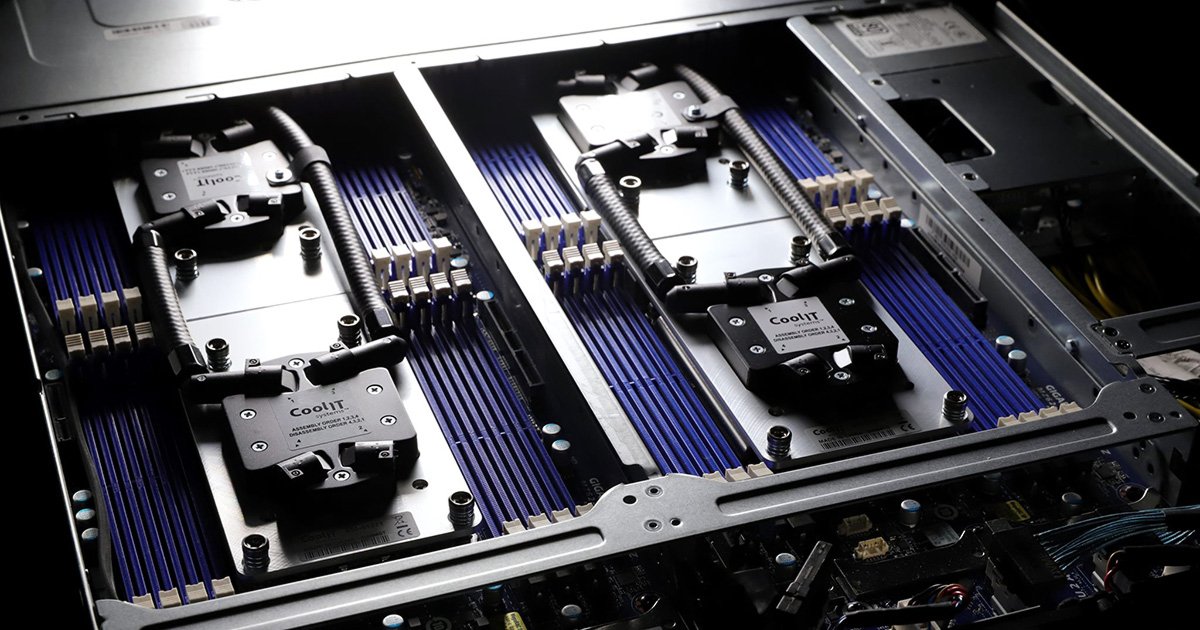
- The power consumption of a single modern AI server (based on 8x GPUs) can reach 10-12 kW, which requires the implementation of liquid cooling systems (DLC).
1. Separation of concerns: Training vs. Inference
Before selecting a configuration, it’s necessary to determine the type of AI workload. A server for creating a neural network is fundamentally different from a server for operating it.
- Training: The process of creating a model (LLM, image generation). Requires colossal computing power, a huge amount of video memory (VRAM) for storing weights, and ultra-fast communication between multiple GPUs.
- Inference: Using an already trained model to respond to user queries. Latency, energy efficiency, and the ability to process thousands of small queries in parallel are paramount here. Servers with 1–4 less powerful GPUs (e.g., NVIDIA L40S or RTX Ada Generation) are often sufficient for inference.
2. Key components of the AI server
The AI server architecture is built around graphics accelerators, but without the right balance of other components, expensive GPUs will sit idle waiting for data.
Graphics accelerators (GPUs)
GPUs are the heart of artificial intelligence. Unlike CPUs with their dozens of cores, GPUs have tens of thousands of tiny cores, ideal for parallel matrix computations.
- VRAM: Running open-source LLMs (e.g., Llama 3 70B) requires approximately 40-80 GB of VRAM (depending on quantization). Training models with billions of parameters requires servers with at least 640 GB of total memory (e.g., 8x NVIDIA H100 80GB or B200).
- Interconnect: If a server has more than two GPUs, standard PCIe connectivity becomes a bottleneck. Platforms with high-speed data exchange technologies (NVIDIA NVLink / NVSwitch or AMD Infinity Fabric) should be selected.
Central processing unit (CPU)
In an AI server, the CPU’s job is to perform data preprocessing, task orchestration, and network traffic routing.
- Requirements: It is recommended to install two high-frequency processors (Intel Xeon Scalable 5th/6th Gen or AMD EPYC 4th/5th Gen) with a large number of PCIe lanes for direct connection of NVMe drives and network adapters.
Random Access Memory (RAM)
- Calculation rule: The system RAM capacity should be at least twice the total VRAM capacity of all installed graphics cards. If the server has eight 80GB GPUs (640GB of VRAM total), you’ll need 1.5 to 2TB of DDR5 ECC system memory.
Disk subsystem (Storage)
Machine learning requires continuous reading of gigantic datasets. Using HDDs or slow SATA SSDs is unacceptable—GPUs will be idle by 90%.
- Standard: Exclusively server-grade U.2/U.3 or E1.S/E3.S NVMe SSDs with PCIe 5.0 support. Array read speeds should be between 30 and 60 GB/s.
3. Comparison Table: Choosing a GPU for AI Tasks (Actual as of 2026)
| GPU model | Memory capacity (VRAM) | Main purpose | Energy consumption | Peculiarities |
|---|---|---|---|---|
| NVIDIA B200 / GB200 | 192 GB (HBM3e) | Training for heavy LLM (GPT-level) | 1000 W+ | Extreme throughput, liquid cooling. |
| NVIDIA H100 / H200 | 80 GB / 141 GB | Universal: Training and Complex Inference | 700 W | The industry standard for data centers. |
| AMD Instinct MI300X | 192 GB | Training and Inference of Large Models | 750 W | A cost-effective alternative with a huge memory buffer. |
| NVIDIA L40S | 48 GB (GDDR6a) | Inference, video analytics, 3D rendering | 350 W | Does not require NVLink, fits perfectly into standard PCIe servers. |
4. Network infrastructure (Networking)
If the capacity of a single server is insufficient, AI clusters are combined in data centers. Standard 10G/25G Ethernet is not suitable for synchronizing neural network weights between servers.
You will need adapters (SmartNIC / DPU) that support 400GbE or 800GbE speeds, as well as InfiniBand or RoCE v2 (RDMA over Converged Ethernet) technologies to directly access the memory of other servers, bypassing the CPU.
5. Cooling and Power: Physical Limitations of the Data Center
A modern 4U-8U server equipped with eight top-end graphics accelerators consumes 8 to 12 kilowatts (kW) of electricity.
- Power: Ensure that your data center rack can handle the load per unit block. Heavy-duty power supplies (at least 3000W each, with N+N or N+1 redundancy) will be required.
- Cooling: Classic air cooling (air from a cold aisle) is no longer sufficient for flagship solutions (Blackwell-level). Consider server platforms with factory-integrated DLC (Direct Liquid Cooling)—direct liquid cooling for the CPU and GPU chips.
Conclusion
Choosing a server for AI is about identifying bottlenecks. There’s no point in buying eight of the most expensive NVIDIA or AMD GPUs if you skimped on NVMe storage or network cards that won’t provide the required data throughput. For starters and inference benchmarks, consider servers with one to four mid-range GPUs (L40S / RTX 6000 Ada). For training fundamental models, consider only HGX architectures with NVLink interconnect and adequate cooling.

